What Does ERP Stand for in Construction? A Contractor's Guide
Learn what ERP stands for in construction and how one system ties estimating, accounting, and scheduling together for your projects.
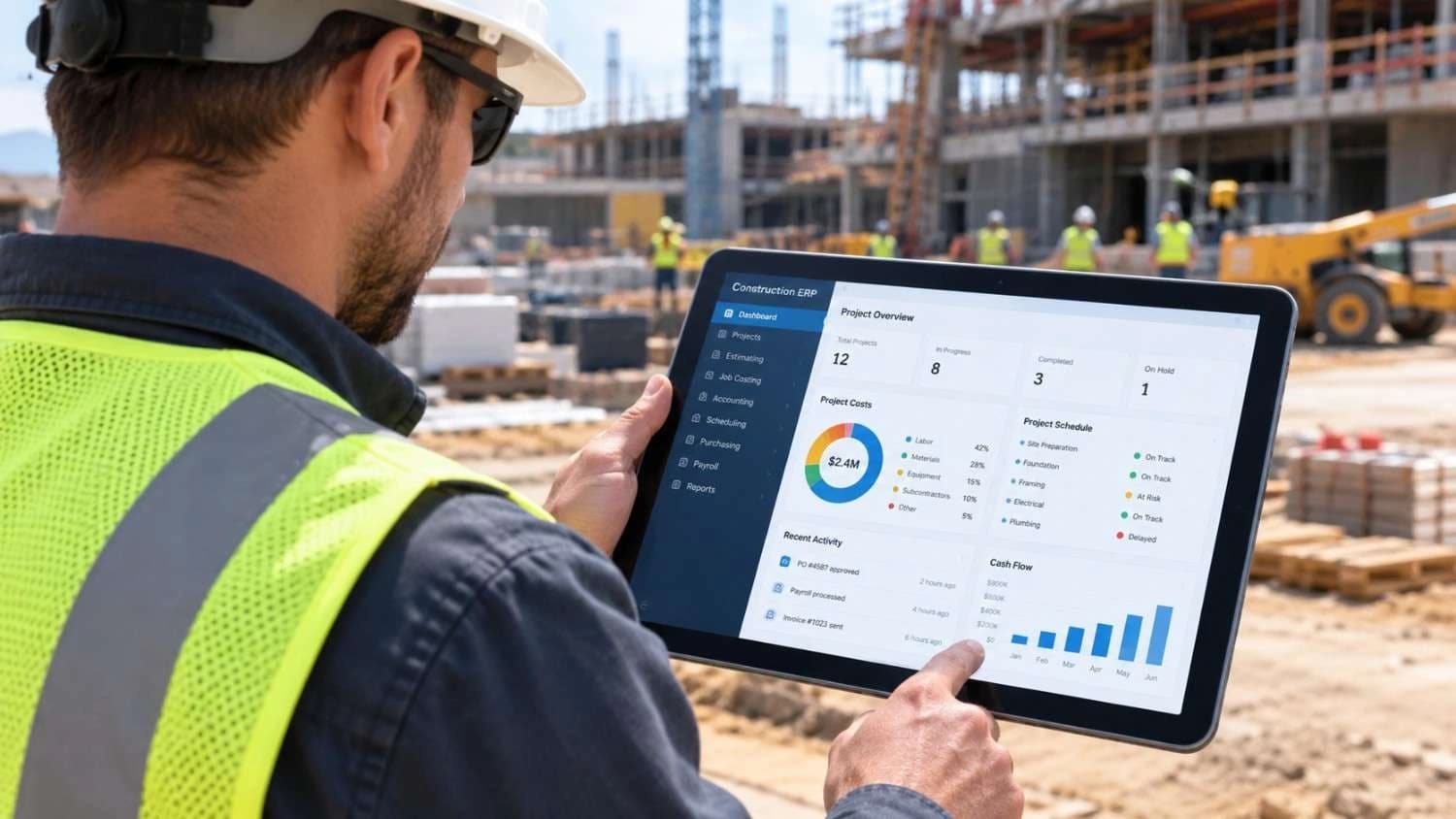
If you have ever heard a project executive say, "We need to sort out our ERP before the next big job," you may have wondered what the acronym actually means. The short answer is simple: ERP stands for Enterprise Resource Planning.
In construction, that phrase has a very practical meaning. It refers to one connected software system that handles estimating, job costing, accounting, scheduling, purchasing, payroll, and reporting, so your office and your crews work from the same numbers.
This guide explains what ERP means for contractors, how it differs from the construction management and project management tools you may already use, which features matter most, and how to choose a system without wasting money.
What Does ERP Stand for in Construction?
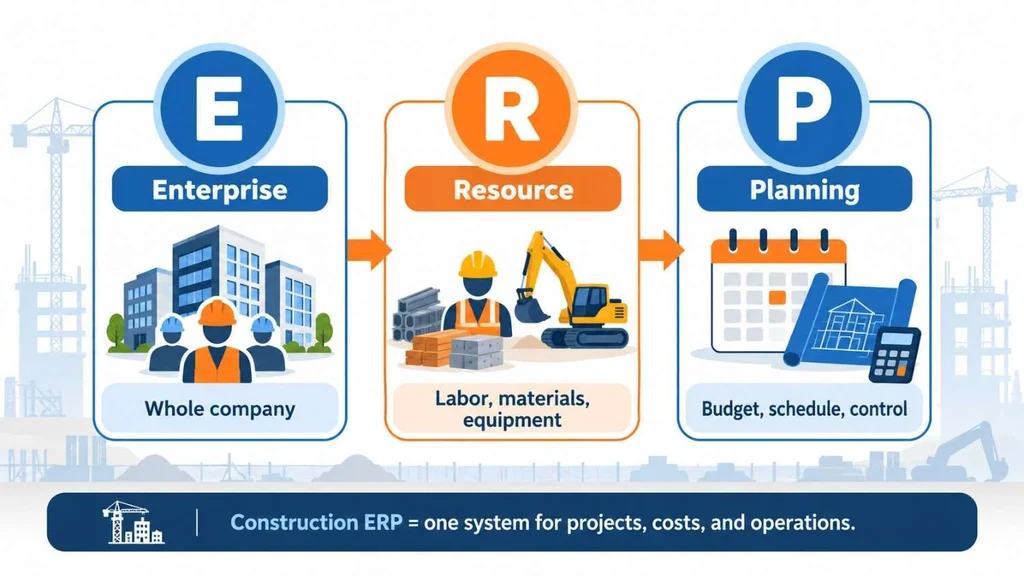
ERP stands for Enterprise Resource Planning. Here is the term in plain construction language:
• Enterprise: your whole company, not just one project or one department.
• Resource: the labor, equipment, materials, subcontractors, cash, and time that every job consumes.
• Planning: forecasting, budgeting, scheduling, and controlling those resources so a job finishes on time and on budget.
Put together, a construction ERP is a single platform where a bid becomes a budget, the budget drives purchase orders and the schedule, and field activity flows straight back into the books. Nobody retypes the same number into three different programs.
Software built around this idea is often called construction ERP software. To see what an industry-specific setup looks like, Canduit's ERP for construction page outlines the typical modules and workflows.
One quick note on the acronym. On safety documents and site plans, ERP can also mean Emergency Response Plan. This article covers the software meaning, since that is what most contractors and owners searching this term want to understand.
Why Construction Needs Its Own Kind of ERP
A generic ERP built for a factory assumes you make the same product again and again, in the same building. Construction does not work that way. Every job is a temporary business with its own budget, contract, crew, and location.
Money also behaves differently on a job site. Owners hold retainage, work is billed by percent complete, change orders shift the contract value, and revenue is recognized as the work progresses. A construction-ready system needs to handle all of that natively, including:
• Job cost codes and cost types attached to every transaction
• Progress billing and retainage, including AIA-style G702 and G703 pay applications
• Change order tracking that updates the budget and forecast
• Subcontractor compliance, insurance certificates, and lien waivers
• Certified payroll and prevailing wage reporting for public work, plus union rules
• Work-in-progress (WIP) reporting and percentage-of-completion revenue recognition
If a system cannot do these things out of the box, your team will rebuild them in spreadsheets. At that point, you have bought software and still kept the problem.
How a Construction ERP Works on a Real Project
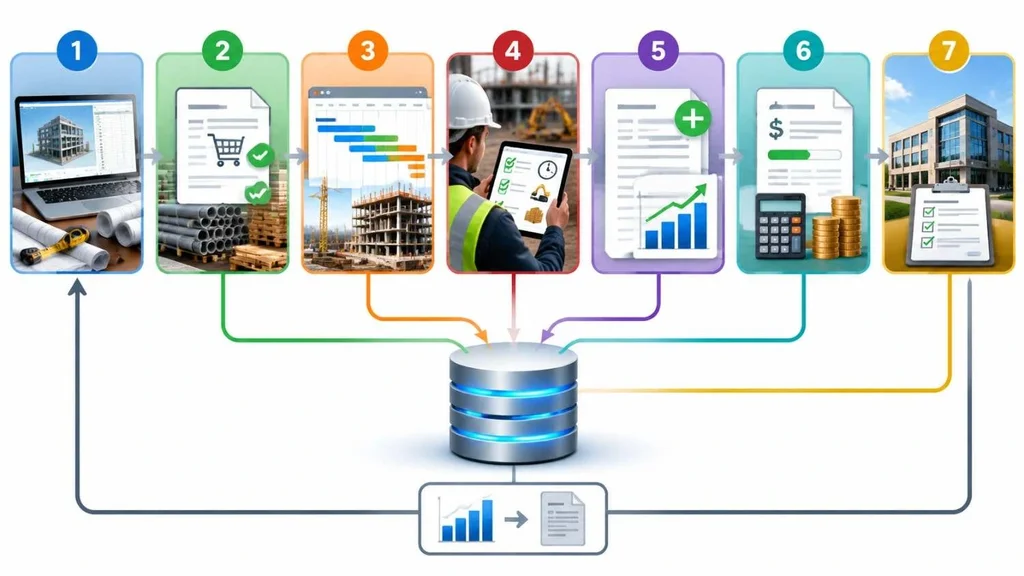
Here is a simple, hypothetical example. Picture a mid-size commercial contractor running three jobs at once. This is how one project moves through a connected system:
1. Estimating: The estimator builds the bid from saved cost data. When the bid is won, the estimate converts into the project budget instead of being retyped.
2. Procurement: The team issues purchase orders and subcontracts against budget lines, so overspending shows up before the order goes out.
3. Scheduling: The project manager builds the schedule, and key milestones connect to purchasing and billing.
4. Field activity: Superintendents log time, equipment hours, and delivered materials from a phone or tablet.
5. Change orders: The client adds scope. The change order is priced and approved, and the budget, forecast, and next pay application update together.
6. Billing and accounting: Progress billing and retainage come from percent complete, and costs post to the general ledger without double entry.
7. Closeout: Final costs are compared with the original estimate, which feeds the next bid.
That last step is where an ERP quietly pays for itself. Actual cost data from finished jobs makes every future estimate sharper.
Key Features and Modules of Construction ERP Software
Vendors package modules differently, but these are the building blocks you will see most often.
Construction Estimating Software
Estimating tools handle takeoffs, labor and material pricing, assemblies, and bid comparisons. In an ERP, the winning estimate flows directly into the budget, which removes one of the most error-prone handoffs in the business.
Construction Accounting Software
This is the financial core: general ledger, accounts payable and receivable, job costing, retainage, WIP schedules, and revenue recognition. Because costs post to the right job and cost code as they happen, reports are timely instead of weeks old. For a deeper look at the finance side, read this guide on accounting in ERP.
Construction Scheduling Software
Scheduling modules cover task sequencing, resource loading, and milestone tracking. When the schedule shares data with purchasing and billing, a slipped milestone shows up in cash flow forecasts right away.
Procurement and Subcontractor Management
Look for purchase order workflows, approvals, subcontract tracking, compliance documents, and lien waiver management. These features reduce disputes and protect you from paying a sub who is missing paperwork.
Payroll, Equipment, and Reporting
Field payroll with certified reports, equipment hours and maintenance, and inventory control round out the system. Strong reporting then ties it all together, with dashboards for job profitability, backlog, and cash position.
Construction ERP vs. Construction Management Software vs. Project Management Software
These terms get mixed up constantly, and vendors do not always help. Here is a practical way to separate them:
| Software type | Main focus | Typically covers | Often lighter on |
| Construction project management software | Field and project coordination | RFIs, submittals, drawings, daily logs, punch lists, team communication | Deep accounting and payroll |
| Construction management software | Umbrella term, scope varies by vendor | Project controls, budgets, documents, and sometimes basic financials | Varies, so check accounting depth |
| Construction ERP | Whole-company operations and finance | Estimating, job costing, accounting, payroll, procurement, reporting | Some field collaboration tools |
In practice, many contractors use both. The ERP acts as the financial and operational backbone, while a project management app handles daily field collaboration. The important part is making sure job costs and change orders do not live in two places that disagree.
Benefits of ERP for Construction Companies
• One source of truth: estimating, accounting, and field teams see the same data.
• Real-time job cost visibility: you spot overruns while there is still time to fix them.
• Faster, cleaner billing: pay applications pull from actual progress and approved changes.
• Better cash flow control: you can forecast what is coming in and going out across all jobs.
• Less administrative rework: data is entered once and reused everywhere.
• Stronger compliance: audit trails, certified payroll, and subcontractor documents live in one place.
• Room to grow: adding jobs, entities, or locations does not require new spreadsheets.
These gains depend on adoption. If superintendents and project managers do not enter data consistently, even the best system will report stale numbers. Plan for training from day one.
Signs Your Construction Company Is Ready for ERP
• You re-enter the same data in estimating, accounting, and scheduling tools.
• Month-end close drags on because job costs arrive late.
• You find out about cost overruns when a job is nearly finished.
• Your WIP report lives in a spreadsheet that only one person understands.
• Change orders get lost between the field and the office.
• You are adding jobs, crews, or entities faster than your systems can handle.
Not every contractor needs a full ERP. A small remodeler with a handful of jobs a year may do well with solid accounting software and a project management app. Once complexity and headcount grow, the case for ERP gets much stronger.
How to Choose the Right Construction ERP Software
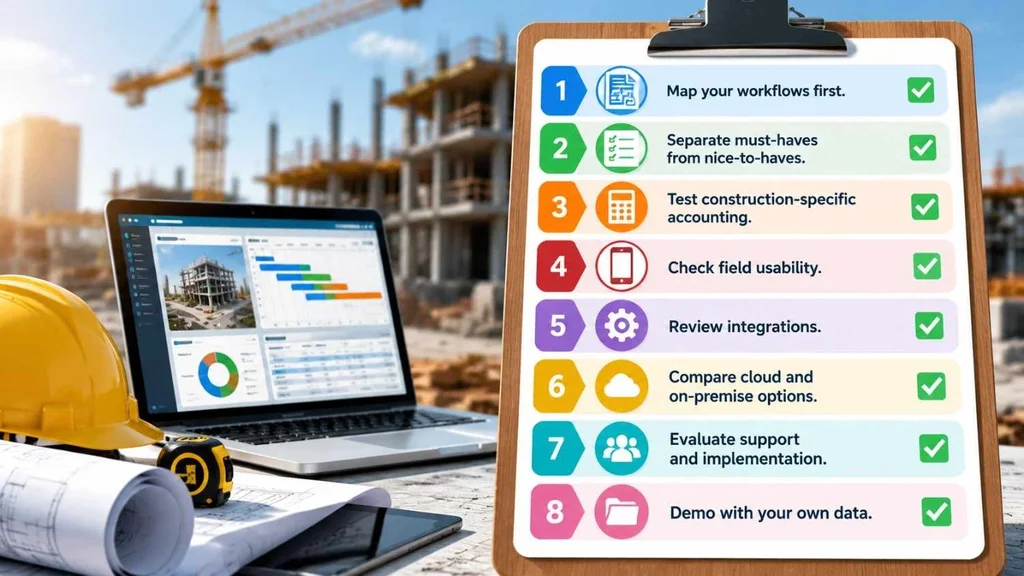
Selection mistakes are expensive, so go in with a process. If you are weighing deployment options too, this cloud ERP guide for growing businesses is a useful companion.
1. Map your workflows first. Write down how a bid, a change order, and a pay application move through your company today.
2. Separate must-haves from nice-to-haves. Job costing, retainage, and WIP are usually non-negotiable.
3. Test construction-specific accounting. Ask the vendor to demo retainage, certified payroll, and AIA-style billing live.
4. Check field usability. Crews will use it only if it works on a phone, even with weak signal.
5. Review integrations. Confirm it connects to your takeoff, scheduling, payroll, banking, and project management tools.
6. Compare cloud and on-premise options. Weigh upfront cost, IT workload, security, and remote access.
7. Evaluate support and implementation. A good product with a weak rollout partner still fails.
8. Demo with your own data. A sample project from your last job exposes gaps fast.
How Much Does Construction ERP Cost?
Pricing varies widely, so be wary of any article that quotes a single number. The final figure depends on:
• Number of users and company entities
• Modules you need now versus later
• Cloud subscription or on-premise licensing
• Data migration from old systems
• Customization and integrations
• Training, support, and ongoing upgrades
Ask every vendor for a written three-year total cost, not just the license quote. Our breakdown of ERP implementation cost shows where the hidden expenses usually appear.
Common Mistakes to Avoid During Implementation
• Skipping data cleanup: moving messy vendor lists and old cost codes into a new system just moves the mess.
• Over-customizing: heavy changes make upgrades slower and support harder.
• Ignoring the field: if crews are not involved early, adoption suffers.
• Cutting training: a short demo is not training.
• Choosing on price alone: the cheapest option often lacks construction accounting depth.
• No internal owner: every rollout needs one person accountable for decisions.
If your team lacks the bandwidth to run a selection and rollout alone, an outside advisor can help. This article on business software consulting explains when that makes sense.
Conclusion
So, what does ERP stand for in construction? Enterprise Resource Planning, which in practice means one connected system for estimating, job costing, accounting, scheduling, procurement, and payroll. It replaces scattered spreadsheets and disconnected apps with a single, trustworthy view of every job and the company as a whole.
The right choice depends on your size, project types, and how your teams work. Start by mapping your workflows, shortlist systems that handle construction accounting natively, and test them with your own data. If you want expert help comparing options, you can explore Canduit's ERP solutions and see what fits your business.
Frequently Asked Questions
What does ERP stand for in construction?
ERP stands for Enterprise Resource Planning. In construction, it means an integrated software system that manages estimating, job costing, accounting, scheduling, procurement, and payroll in one place.
Is construction ERP the same as construction management software?
Not exactly. Construction management software is a broad term that often focuses on project controls and documents. A construction ERP covers the whole company, including accounting, payroll, and procurement, alongside project operations.
Who should use construction ERP software?
General contractors, specialty and subcontractors, and developers with multiple active jobs, growing teams, or complex billing benefit most. Very small firms with simple projects may not need a full ERP yet.
How long does ERP implementation take for a construction company?
It depends on company size, modules, data migration, and customization. A focused rollout for a small team can be relatively quick, while multi-entity, multi-module projects take longer. Ask vendors for a phased timeline tied to your specific scope.
Does ERP ever mean Emergency Response Plan in construction?
Yes. On job sites, ERP can also stand for Emergency Response Plan, a safety document describing how to respond to accidents, fires, or severe weather. The software meaning, Enterprise Resource Planning, is the one used in business technology.