Best AI Tools for Web App Development in 2026: What to Use and What to Skip
Find the best AI tools for web app development, see what they really cost, and pick the one that fits your project and skills.
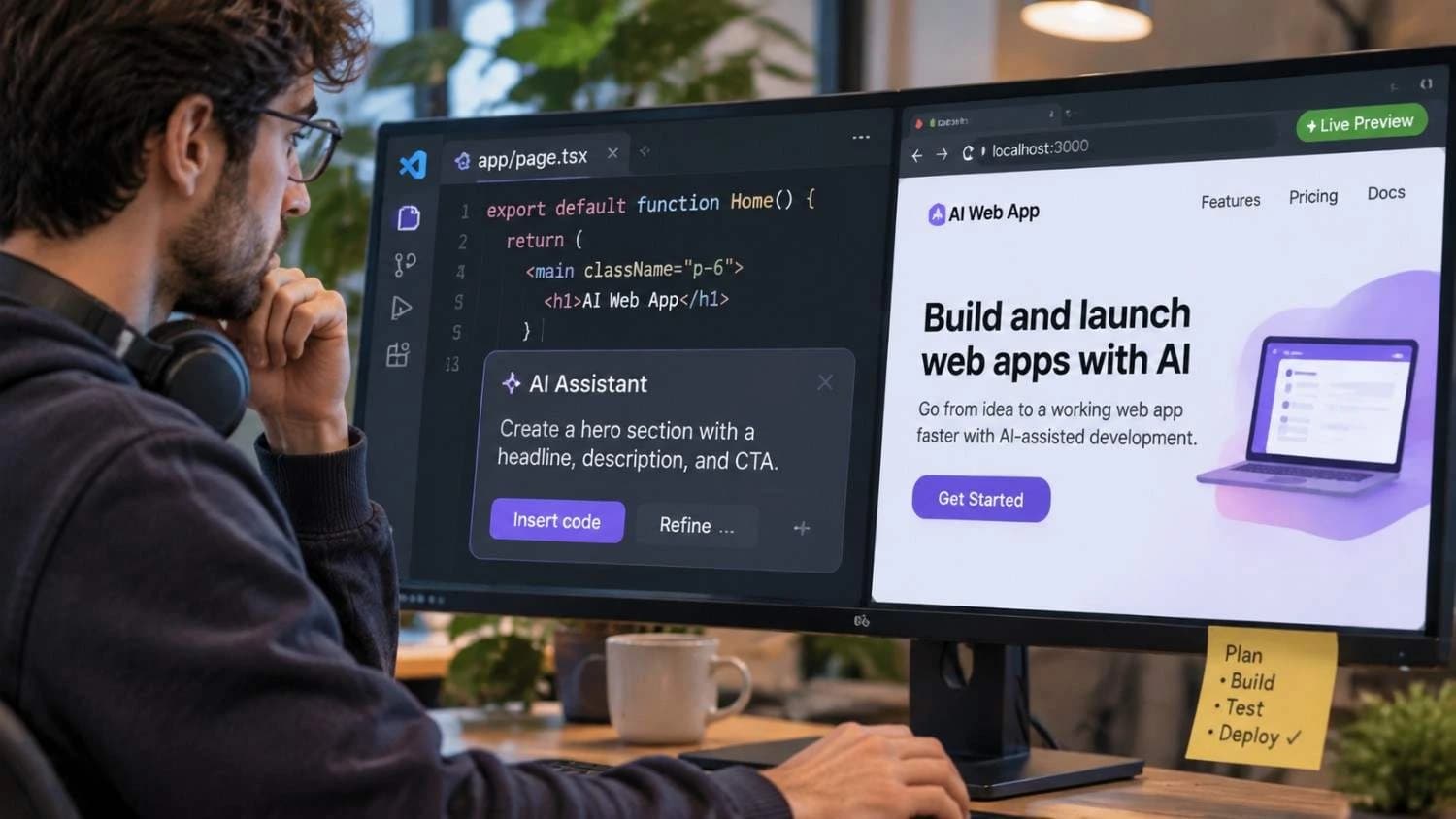
A year or two ago, asking an AI to build a working web app felt like a party trick. Today, AI for web development is a normal part of how teams ship software. The problem is that there are now dozens of AI tools for web development, and most "best of" lists treat them as if they all do the same job.
They do not. A tool that writes code inside your editor solves a different problem than a tool that turns one sentence into a hosted app. Pick the wrong type and you either pay for features you never use or hit a wall halfway through your project.
This guide sorts the best AI tools for web app development by what they actually do. It shows what each one costs as of November 2026, and it covers the parts many lists skip: security, credit limits, and the point where you still need human developers. We compiled it from published product comparisons, pricing trackers updated in October 2026, and independent research, and we point out where sources disagree.
Best AI Tools for Web App Development at a Glance
If you only have a minute, this table shows where each tool fits. Prices are starting paid plans for individuals in November 2026. They change often, so confirm on the vendor's site before you buy.
| Tool | Type | Best for | Starting paid price |
| Claude Code | AI coding assistant (agent) | Multi-file work across a large codebase | $20/mo with Claude Pro |
| GitHub Copilot | AI coding assistant | Teams already on GitHub | $10/mo (Pro) |
| Cursor | AI code editor | Developers who want an AI-first editor | Check pricing page (tiers changed in 2026) |
| OpenAI Codex | AI coding assistant (agent) | Parallel tasks for ChatGPT users | $20/mo with ChatGPT Plus |
| Lovable | AI app builder | Full-stack MVPs from a prompt | $25/mo |
| Bolt | AI app builder | Fast browser-based prototypes | $25/mo |
| v0 | AI app generator | React and Next.js interfaces on Vercel | $30/user/mo |
| Replit | AI app builder and IDE | Building and hosting in one place | 20/mo(18 billed annually) |
| Wix | AI website builder | Small business sites and stores | $17/mo |
| Framer | AI website builder | Designer-friendly marketing sites | $5/mo per site |
The Three Types of AI Tools for Web Development
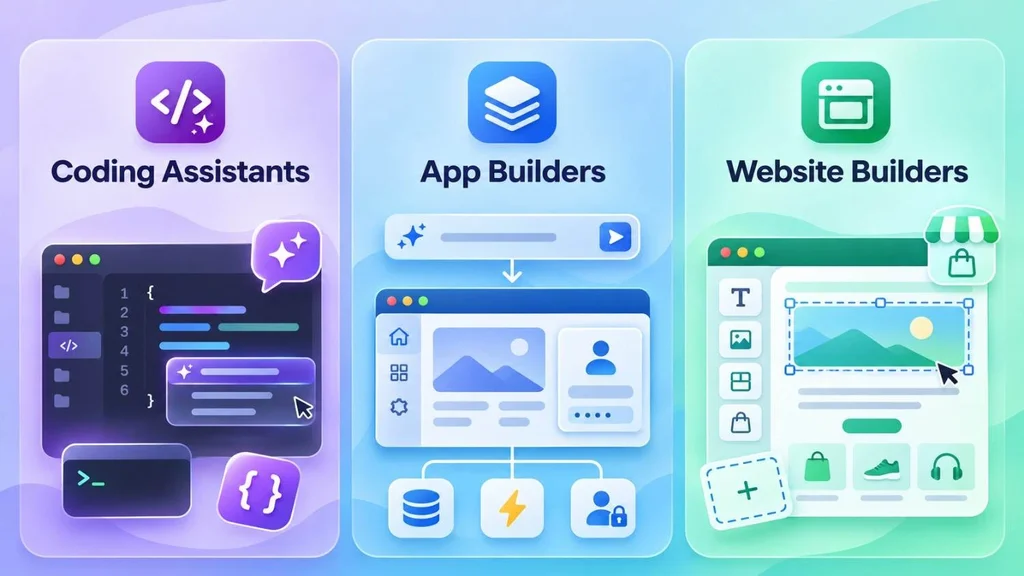
Before comparing names, it helps to know the categories. Most confusion comes from mixing them up. Think of them as app development software that now has AI built in, each aimed at a different kind of builder.
• AI coding assistants such as GitHub Copilot and Claude Code work with your code. They complete lines, explain errors, refactor files, and increasingly run multi-step tasks on their own. You still need to understand what they produce.
• AI app builders and AI app generators such as Lovable, Bolt, and v0 turn a plain-language description into a working app. Many include a database, user login, and hosting, so non-developers can get surprisingly far.
• AI website builders such as Wix and Framer focus on marketing sites and small stores rather than custom app logic.
A fourth group, testing and security tools, sits around all three. We cover it later because it matters more than most people expect.
Best AI Coding Assistants for Web App Development
If you or your team write code, this category usually brings the biggest everyday gain. These tools live in your editor, terminal, or repository.
Claude Code
Anthropic's agentic coding tool reads your codebase, edits files, runs commands, and connects to your development tools. It works in the terminal, in VS Code and JetBrains, in a desktop app, and on the web. It can also split larger jobs across parallel subagents.
Best for: multi-step work such as planning a feature, changing several files, and running tests. Watch out: you need a paid Claude plan or API account, and long autonomous sessions call for a clear review habit. Price: Claude Pro at $20 a month includes it, and heavier users move to Max plans at $100 or $200.
GitHub Copilot
Copilot started as autocomplete and now covers agent mode in your IDE, a command-line tool, and a cloud agent on github.com. You can assign an issue to the cloud agent, and it works in its own environment and opens a pull request for you to review. It runs in VS Code, Visual Studio, and JetBrains.
Best for: teams that already live in GitHub. Watch out: since June 1, 2026, Copilot bills usage as AI credits worth one cent each, so heavy agent use can cost more than the headline price. Price: Pro is $10 a month.
Cursor
Cursor is an AI-first code editor built on the VS Code foundation, so the interface feels familiar. It understands your whole project, suggests multi-line completions, and lets an agent make changes from a chat window.
Best for: developers who want AI at the center of their editor. Watch out: Cursor has reshuffled its plans more than once this year, and price trackers disagree on the current tier names and prices, so check its pricing page before subscribing. Running several models on one task can also add up.
OpenAI Codex
Codex is OpenAI's coding agent. You can use it from a command line, an IDE extension, the cloud, and the ChatGPT desktop app, and you can hand it several tasks at once.
Best for: people who already pay for ChatGPT. Watch out: the desktop experience is moving into the new ChatGPT app, so names and features keep shifting. Price: included with ChatGPT Plus at $20 a month.
On a tight budget? Copilot has a free tier with 2,000 completions a month, and one October 2026 pricing tracker lists Google Antigravity as offering a free individual tier.
Best AI App Builders and AI App Generators
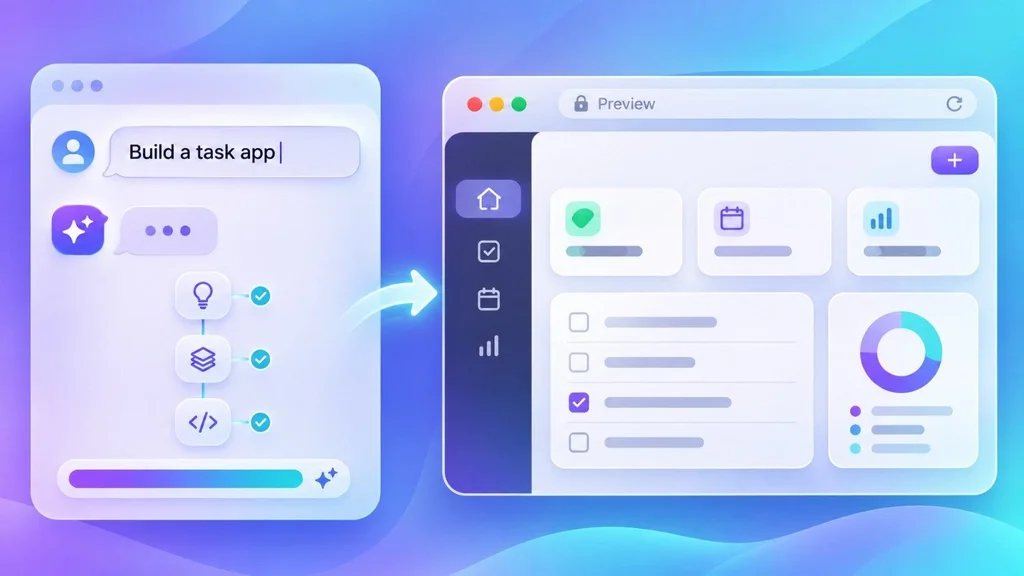
These tools suit founders, product managers, and developers who want a working first version fast. You describe the app, and the tool builds the interface, connects a backend, and publishes it.
Lovable
Lovable turns a plain-language description into a React front end with a built-in backend for the database, login, and file storage, then hosts it for you. It also runs security scans before you publish.
Best for: full-stack MVPs. Watch out: it builds web apps only, with no native mobile output, and you work inside its stack. Price: the free plan gives 5 credits a day, capped at 30 a month. Pro is $25 for 100 credits, and Lovable's own examples show small edits using roughly half a credit to just over one.
Bolt
Bolt, from StackBlitz, runs entirely in your browser and turns a prompt into a web or mobile app. You can choose which AI agent does the building, and Bolt Cloud adds databases, hosting, and domains.
Best for: fast prototypes. Watch out: debugging loops can burn through tokens quickly, and mobile apps go through Expo. Price: the free plan includes 1 million tokens a month (300,000 a day). Pro starts at $25 with 10 million tokens, and unused tokens roll over.
v0
v0 is Vercel's AI app generator. You describe what you need, and it builds the app and deploys it to Vercel. You can import an existing GitHub repository, and each chat gets its own branch, so changes go through pull requests like any other code.
Best for: React and Next.js interfaces. Watch out: it is strongest in that stack, and credit-based usage makes monthly cost hard to predict. Price: the free plan allows 7 messages a day. Plus is $30 per user and includes $30 in credits.
Replit
Replit is a browser-based development platform where an AI agent builds your app and hosts it in the same place. Its newer agent adds a Plan mode, so you agree on the approach before anything gets built, and it can run tasks in parallel.
Best for: people who want building and hosting in one tool. Watch out: its security scanner can block integrations it considers unsafe, so test the connections you need early. Agent usage past the included allowance is priced by effort, with no published per-task rate. Price: Core is $20 a month, or $18 billed annually.
Other Options Worth a Look
Bubble is the established no-code builder with AI features added, and it handles complex multi-user logic and payment flows better than most newer tools, though it takes longer to learn. Figma Make suits designers who want to turn designs into working prototypes. Base44 is worth checking if you want the AI to publish a mobile app as well. If native mobile is on your roadmap, our overview of mobile app development explains the options.
AI Website Builders: When You Do Not Need a Custom App
Not every project needs custom logic. For a brochure site, a landing page, or a small online store, an AI website builder is usually faster and cheaper than anything above.
Wix lets you describe your site in a chat and generates a multi-page layout with relevant apps connected automatically. Paid plans start at $17 a month. Framer gives you a design-tool-style canvas with AI generation and a built-in CMS, with paid plans from $5 a month per site. Both are easy to maintain, but you give up deep customization.
The test is simple. If your idea needs user accounts, custom workflows, or business rules, you are building a web app, and a website builder will eventually hold you back. That is custom software territory.
The Part Most Lists Skip: Security and Code Quality
AI tools write code that runs. That is not the same as code that is safe.
Stack Overflow's 2025 developer survey found that 84% of respondents use or plan to use AI tools. Yet more developers distrust the accuracy of AI output (46%) than trust it (33%), and two thirds named "almost right, but not quite" answers as a frustration.
Security research points the same way:
• Carnegie Mellon researchers tested 12 coding agents on 186 real-world tasks. The best agent produced functionally correct code 57% of the time, but only 11.8% of its solutions were secure.
• The Cloud Security Alliance reports that Veracode found 45% of AI-generated code samples failed OWASP Top 10 security tests.
• In a test by security firm Tenzai, five major coding tools each built the same three apps. The 15 apps held 69 vulnerabilities between them, and none had CSRF protection. This was a single small test, but it shows the pattern.
The takeaway is not to avoid AI. Treat its output like code from a fast junior developer: useful, often impressive, and never merged without review. A few checks go a long way:
• Review every pull request, even small ones.
• Search the codebase for hardcoded keys and passwords before each release.
• Check authorization logic by hand. Who can see or change what? Missing access controls are among the most common failures in generated code.
• Add an automated security scan to your pipeline.
Several tools can help. Snyk scans for vulnerabilities and suggests fixes inside your editor. Qodo focuses on generating and reviewing tests. Applitools Eyes uses AI for visual testing, though its plans start at $899 a month, so it is aimed at larger teams. Running these checks automatically on every release is part of good DevOps practice, which we explain in our guide to what DevOps is.
What AI Tools Really Cost (and Why the Price Tag Misleads)
Most entry plans look alike on paper, somewhere between $10 and $30 a month. In practice, the billing unit differs from tool to tool, which makes comparison harder than it looks:
• Credits (Lovable, Replit): each prompt uses a variable amount, and complex requests cost more.
• Tokens (Bolt): usage depends on how much text the AI reads and writes, so debugging loops get expensive.
• Dollar credits (v0, Copilot): Copilot's AI credits are worth one cent each, and agent mode can use them up fast.
One October 2026 comparison estimates that daily agent use often pushes a realistic budget from $20 up to somewhere between $60 and $200 a month. Subscriptions are only part of the bill, too. Hosting, a database, a domain, and developer time to fix generated code all add up, which is why software pricing varies so much from one project to the next.
A sensible approach: start on a free plan and use it to answer one question, which is whether the tool can build what you need at all. Free allowances like Lovable's 30 credits a month or Bolt's 1 million tokens are enough for that and not much more. Then set a spending limit before you upgrade.
How to Choose the Best AI Tools for Web App Development
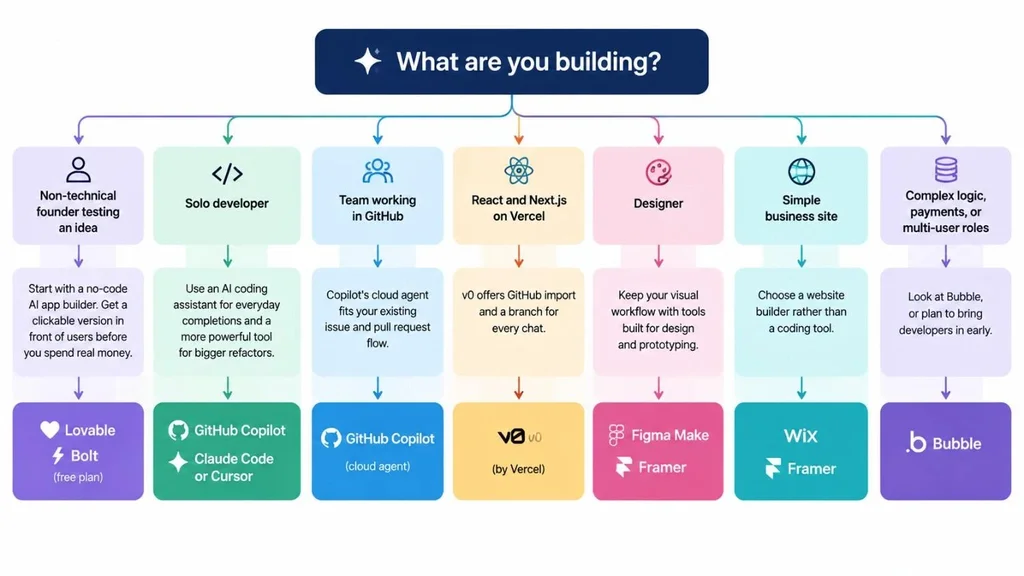
Skip the endless feature comparisons and start with your situation:
• Non-technical founder testing an idea: start with Lovable or Bolt on a free plan. Put a clickable version in front of users before you spend real money.
• Solo developer: pair GitHub Copilot for everyday completions with Claude Code or Cursor for bigger refactors.
• Team working in GitHub: Copilot's cloud agent fits your existing issue and pull request flow.
• React and Next.js on Vercel: v0 offers GitHub import and a branch for every chat.
• Designer: Figma Make or Framer keep you close to the visual work.
• Simple business site: choose Wix or Framer rather than a coding tool.
• Complex logic, payments, or multi-user roles: look at Bubble, or plan to bring developers in early.
A Practical Workflow That Combines These Tools
Teams that get good results rarely rely on a single tool. A common pattern looks like this:
1. Prototype the idea in an AI app builder such as Lovable, Bolt, or v0, and test it with real users.
2. Move the code to GitHub so you own it and can track changes. Check that your chosen builder supports export or sync.
3. Refine in a coding assistant such as Claude Code, Copilot, or Cursor. Refactor, add tests, and handle edge cases.
4. Scan and review with a security tool and a human code review.
5. Deploy through a proper pipeline with a staging environment and a way to roll back.
This keeps the speed of AI generation while covering its weakest points: structure, testing, and security.
One more habit saves headaches. Generated apps often bake copy, product data, and images straight into the code, so changing a headline later needs a developer or another prompt. Keep real content in a database or headless CMS from the start.
Common Mistakes to Avoid
• Treating a prototype as a finished product.
• Skipping code review because the app appears to work.
• Paying for three overlapping tools when one or two would do.
• Ignoring credit and token usage until the bill arrives.
• Choosing a tool for the hype instead of your stack and skills.
• Forgetting data privacy. In the Stack Overflow survey, 81% of respondents said they have security and privacy concerns about AI agents, so check what each tool does with your code and data.
When AI Tools Are Not Enough
AI is excellent at first versions. It is weaker at architecture decisions, performance at scale, connections to older business systems, and compliance. If your app handles payments, health data, or inventory across several departments, a prototype is the starting line, not the finish.
That is where an experienced team earns its keep. If you reach that point, our guide on how to choose a web app development partner covers what to ask, and our web app development services page shows how we approach custom builds.
Building AI into the product itself, such as smart search or automated support, is a separate job from using AI to build it. Our AI integration services cover that side.
Conclusion
The best AI tools for web app development are the ones that match how you build. Coding assistants like GitHub Copilot, Claude Code, and Cursor make developers faster. AI app builders like Lovable, Bolt, v0, and Replit get an idea in front of users in hours. AI website builders cover simple sites for less money.
Whatever you pick, treat AI as a fast first draft. Review the code, scan for security problems, and watch your usage. Start with a free plan, build something small, and decide based on your own results rather than anyone's ranking, including ours. And if your project outgrows the tools, talk to a team that can take it from prototype to production.
Frequently Asked Questions
What is the best AI tool for web app development?
There is no single best option, because the tools solve different problems. Developers usually get the most from an AI coding assistant such as GitHub Copilot, Claude Code, or Cursor. Founders and non-developers tend to start with an AI app builder such as Lovable or Bolt. Many teams combine one of each.
Can AI build a complete web app without coding?
For prototypes and simple MVPs, yes. Tools like Lovable, Bolt, and Replit can generate an interface, a database, and hosting from a description. For a production app that handles real customers or payments, you still need someone to review the code, test it, and secure it.
Is AI-generated code safe to use in production?
Not without review. Research from Carnegie Mellon found that even the best coding agent tested produced secure solutions only 11.8% of the time on real-world tasks, and other studies report high failure rates on standard security tests. Use code review, automated scanning, and manual checks of login and permission logic before you ship.
How much do AI tools for web development cost?
Most have a free tier, and paid plans typically run from $10 to $30 a month for individuals. Heavy agent use can push real spending to $60 to $200 a month, because credits and tokens run out faster than the headline price suggests. Check how each tool bills before you commit.
Will AI replace web developers?
It is changing the job more than ending it. AI handles boilerplate and first drafts well, so smaller teams can do more. Humans still make the architecture and security decisions and fix what the AI gets wrong. In the Stack Overflow survey, 75% of developers said they would still ask a person for help when they do not trust an AI answer.